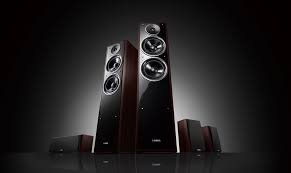
A Complete Guide To Home Theater System

31 October, 2022 by Admin

Back in the day, local cinema was one of the few options of entertainment. But now, it’s a distant memory. Streaming services make it easy to catch up on the latest movies and TV episodes, even if you don't have cable. However, there are things about movies that make you forget about everything else, like the feeling of completely immersing yourself in them and not paying attention to anything at all.

And that's why Home Theater has come out to the market, boosting comfort and entertainment options directly into your own home. A home theater is an excellent way to watch TV and movies at home with just a little extra excitement.

Want to know more about this system? Let's get into the specifics.

What to Consider When Building Your Home Theater

Here is a list of things you should think about when you build your own home theater:

Where Will You Put a Home Theater?

The first thing you need to do is find a place or a spot in your home. Home theaters come in all shapes and sizes. Some can fit in small places, while others need a lot of space. If you know where your home entertainment system will be, you can put it where it should be. Easier it is to set up space when you know where and how it is set up. Make sure to think about whether you'll be using the home theater on your own or with your family while you're shopping for a new one. In this case, you wouldn't want to go very far.

There isn't much to do after you pick a place. All that's left is to set up the necessary equipment. If you're having a party for your family, you'll need to think about how to fit more people in. Choose whether you want to use an existing room in your house or build a new one for your home theater. You might be able to save money by using a room in your house, but you'll have to deal with the limitations of the space. When you build a room with a home theater system in mind, you can choose the right acoustic materials and hide any wires in walls and custom cabinets.

What's Your Home Theater Budget?

Then, decide how much money you're willing to invest. A Blu-ray player and a large flat-screen TV are the basics of a home theater system. But what about surround-sound speakers and a whole room of equipment? Whether you want to pay a little or a lot to get the most out of your moviegoing experience is entirely up to you.

Speaker Placement is Key

Movie-watching is better with a 5.1 surround sound system because it adds five full-range speakers and a subwoofer to a normal home theater. Only those speakers must be at least 20 inches away from the walls when people are sitting down. You can use two center channels on each side of the TV to make the center channel. It's important to make sure your speaker location stays the same every time you use it.

Viewing Angles

The HD screen is, without a doubt, a major selling point of your theater setup. With screens, bigger isn't always better. You have to think about the size and how you can see it. The right mix is very important to make sure that the whole screen can be seen at once.

For the best picture quality, keep your distance from the screen at least double its diagonal width in order to get the best picture. Putting your eyes level with the center of the screen may be the best way to get the best view. There are a lot of wall-mounted screen options, like low-profile TV mounts, ceiling-mounted mounts, and other things.

What do the channels mean?

There are so many channels such as 5.1, 7.1, 11.1, and so on. The first number (say, 7 in a 7.1 system) is the number of speakers in the system. This number refers to how many subwoofers there are in the system if it has one. For example, the.2 in a 5.1.2 system shows how many Dolby Atmos speakers are in the system, which is how many. It comes with Dolby Atmos and a subwoofer as part of a 5.1.2 home theater set up.

As I said before, channels can be thought of as speakers. True home theater surround sound, on the other hand, needs more than two channels (left and right). To say it another way, the more channels you have, the more speakers you can have on at once. This is made even better by the use of a lot of loudspeakers.

Guide on: 5.2 vs 7.2 Home Theater

A minimum of five channels must be used. If we had to pick a minimum number, we'd pick seven. At home, you can enjoy the same sound quality as you would in a modern digital movie theater: big, exciting, hold-on-tight sound. There are seven channels in this speaker.

When it comes to channels, let's take a look.

In the past, the term "2.0" has been used to describe a stereo system that was old (Two channels, two speakers).

Adding a subwoofer makes it a 2.1 setup with even more powerful bass. As you can see in this picture, there are two front speakers and one subwoofer.

A "3.1" would be made by adding a center channel speaker so that the dialogue always sounds like it's coming from the center of the screen (this is particularly significant if you are seated to the side).

Two extra speakers will be needed if you want surround sound that goes all the way around the room. You'll need them at the back of the room. A few years ago, surround sound was all about 5.1; then things started to get crazy good. People who buy surround sound systems and speakers from us often look at these pictures, which show some of them.

You might want to think about "7.1" if you have a lot of space, especially if your couch is a long way from the back wall.

In Dolby Atmos, two or more speakers are hung from the ceiling. This is the last thing that kills the idea. True three-dimensional sound has now been reached, which means that any sound can seem to float anywhere in space. "7.2.1" systems have three speakers in front of each other, two on each side, two in the back, and two in the ceiling. As a refresher, these systems have seven speakers. All of this, including the subwoofer, which is usually in the back but can be moved to any place.

How many speakers will you need?

To get the best possible sound for your home theater, you always want to have more speakers. As far as speaker setups go, there are hundreds to choose from. A standard home theater system has two front left and right speakers, a subwoofer, and a center speaker that all work together to make the sound better.

Most of the conversation will come from a central speaker, which should be right next to the TV. (Even though there are a lot of in-wall speakers above the TV.) Right next to the left speaker is a turn. The two rear speakers are in the back of the room, near the back of the room. Often, front speakers on the left and right are bigger than back speakers on the left and right.

What other kinds of home theater systems are there?

It doesn't matter what your room size is or how much money you have. There's a home theater solution that will work for you!   You should, however, think about the size of your room and how it looks. If you live in a small rented home, you can't leave wires out or drill holes to hide wires. You should get a wireless one. How large is your living space? If it has plenty of space, get big speakers and even more of them. 

The different types of home theater systems are as follows:

Soundbar based

Even though sound bars aren't technically part of a "system," they can be good alternatives when money and space are tight. Center, left, and right speakers are already built in. All you need to do is add a subwoofer and two rear speakers to get the best sound. You can get true home theater surround sound with that combination, but it will still take up less space than if you just used one thing.

Pro Tips:Best Soundbar with Wireless Rear Speakers

Pre-packaged home theater systems

They'll always be the least expensive and easiest to set up, but not always the best sound. Everything you need, made by the same company, in one box. Add TV to the list. You get everything you need to set up the home theater in a box, from mounting hardware to color-coded cables and simple instructions. You could also hire home theater experts if you don't have time or the energy. They've won awards for their work, and they're proven to be good at it.

Tips: Best Dolby Atmos Home Theater System

Home theater systems comprised separate Equipment

On every single speaker, subwoofer, and so on you can get a lot of value from them. This way, you will spend a lot less money as well. Having separate speakers means that you can better fit your home theater to your room and taste. However, you'll have to do some more work to set this up. But for people who have a lot of space and want better sound, this is worth it.

It's a good idea to look into setting up a home theater with separate speakers. Unless, of course, you can have a home theater built and installed by home theater experts.

Wireless home theaters

Wireless home speakers are now on the market. For the most part, if you can, wired is more reliable and, for the very serious, it's a good idea.

Having a wireless system is better for you in the long run. There are no holes to drill in walls or floors, and no wires to run through walls or into attics. This means that the installation process will be much easier in the end. A lot less mess, too. With wireless, you can move things where you want, at any time, without having to rewire. Everything in your home is on the same network, so you can stream from your digital library or favorite online radio stations to pretty much anywhere. As well, you can use an easy-to-use app on your smartphone or tablet to do all of this.

Custom-designed and installed home theaters

These custom-designed home theaters are some type of budget movie theater. You'll see speakers hidden underneath soundproof walls, comfortable theater seats arranged in a cinema style, black ceilings, and multiplex-themed decor all over. You'll also hear sound coming from all over the place, sometimes even from your own seat. If you want to build your own theater, it's going to cost a lot of money, actually.

What Do You Need for A Home Theater?

The primary sound source's constituent tones are flawlessly combined to create a single sound that has almost perfect pitch across the space. Installing multichannel sound may seem like a complicated process best left to the experts. This may be true in certain respects, but you can also accomplish it on your own. Understanding the fundamentals of surround sound is all that is required. It all boils down to positions.

If you want to produce your own surround sound in a home theater, these are the things you will need:

TV or projector with a screen

Bigger is always better when it comes to visual quality in your home theatre. A 4K HDR TV is the best bet, and if you can afford OLED, even more so. 

If you're building a home theatre specifically for that purpose, you have the option of going large with a projector and screen that spans 8 feet or more for a really cinematic experience. The greatest 4K projectors on the market today are very crisp and silent. In most cases, the projector is mounted in the room's back ceiling, and the screen is either fixed in place to disappear like a window shade. Automated cinema curtains are sometimes included in the mix.

A Home Theater Receiver

In a surround system, this is the core of all audio processing. It is responsible for the processing, amplification, and transmission of audio signals to the speakers. Almost all home theatre receivers come with a built-in sound system decoder that turns stereo audio input into 5.1 surround sound. Home theatre receivers are great since they can be linked to a variety of devices. You will be able to pick your preferred audio source from a distance after you've reached that point.

Preamplifier/Amplifier

Separate processing components are recommended if you have the money and are serious about your project. When you have an amplifier plus a preamp, you're not depending on just one device (the AV receiver) to distribute and amplify your audio signals anymore. Because the preamp is meant to distribute the signal, and the amp is specifically designed to increase the volume, you don't need both.

Because the preamp is meant to distribute the signal, and the amp is specifically designed to increase the volume, you don't need both. You can also increase the number of dedicated amplifiers! When it comes to making a decent sound, the more power they have, the less they have to do.

Media Player and Recorder

In order to experience a wide variety of internet and disc-based material, media players such as Blu-Ray and DVD players may be coupled with compatible TVs. Smart, ultra-HD and 3D capable players may be purchased that provide a wide range of future-fit functions and capabilities across a wide range of content formats.

HDMI Cables

HDMI cables seem to be the standard connection for digital home entertainment because of their ability to function at the level of high-end equipment. Buy a high-quality HDMI cable if your home cinema system doesn't already come with one.

Speakers and subwoofers

A subwoofer and at least five speakers with voice matching are required to provide a high-quality, all-encompassing surround sound experience. Having extra speakers isn't necessary, but voice matching is the most important part of creating a really immersive experience. 

There are speakers that have been pre-matched to each other. If you'll be setting up the whole unit on your own, you'll simply need to voice-match them yourself. Surround sound speakers come in a variety of styles and price points. For starters, here are a few examples:

Bookshelf speakers

You guessed it—bookshelves are the target of these speakers. Despite their diminutive size, these devices are capable of handling both mid and high-frequency sounds. They take up less room and may be hung on the wall, making them ideal for smaller spaces.

Floor-standing speakers

They are available in a variety of sizes and can withstand a wide range of frequencies. Floor-standing speakers may potentially be taller than you!

In-wall speakers

In-wall speakers, like bookshelf speakers, make use of the wall's inherent inclosure. Hidden away, they are critical to the overall quality of the surround sound.

Subwoofers

They are designed for low-frequency applications and include big drivers. In comparison to bookshelf speakers, subwoofers are much larger and heavier. The subwoofer is the most straightforward speaker to set up.

You can install it wherever as long as the receiver is nearby and there are no bottlenecks when connecting it to the other system components since it creates unidirectional as well as low frequency sound. However, you should avoid putting the subwoofer in recessed places or in the corners of the room. When you're sitting, the speakers must be set at a level that's near to your own. The sound will be ruined if the volume is too loud or too low, especially if it comes out of an audiovisual source.

Important Pre-Construction Considerations

There are a lot of things that can make or break your home theatre, but many people forget about them at the end of their project.

Lights for a home theater

It's very important to get the lighting in your home theatre just how you want it to be. A lot of people will find this article very useful when it comes to lighting in their home theatre room. The lighting in your home theatre will have to do a lot of different things. Some fixtures will be used for more than one thing, while others will only be used for one thing. 

Considerations for Home Theater Electricity

When you don't plan for the electrical needs of your home theatre properly, you might have audio or video hum or breakers that flip because you didn't. Think about your home theatre or media room's electrical needs when you're planning it. They may seem like a lot of work compared to picking out the right screen size or picking out the best speakers. When you buy home theatre gear, it can be a lot of fun to choose what you want. However, we strongly recommend that you think about your home theater's electrical needs, especially if the room is getting rewired.

Choosing the Right Speakers for Your Home Theater

If you want to buy high-quality audio or video equipment at a good price, you can now do so because of how quickly technology has changed over the years. There are now a lot of speakers to choose from, and it can be hard to figure out which one to buy. When it comes to buying speakers for a home theatre system, though, there are some things you can keep in mind.

Make sure to think about how big the room is.

You need to choose the style of your speaker with your room size and layout in mind. if you have a small room, think about small, low-cost satellite speakers that can be well hung on the wall brackets. It's also possible to get the big mini-speakers that can be put on stands or in a wall unit, and they sound great. For a bigger room, think about the in-wall speakers because they look great with a flat screen video unit. If you want, you can also think about on-wall speakers, which always sound great. Choose a speaker that looks good in your room and fits the size and layout of your space.

Setting the distance between the speaker and the listener

They spend a lot of time making a soundtrack that fills the room with sound. This is how they make the amazing effects in today's movies. To make this happen, the sound has to come from all of the speakers at the same time. Everyone has a different distance from our ears when they speak in a room.

The good news is that each home theatre receiver also has a way to fix this. Make a note of how far each speaker is from your main seat, and then enter these values into the receiver. The receiver corrects these values so that all of your ears will hear the same thing when you listen to the same show. In the case of a subwoofer that has digital processing built in, you will need to move the subwoofer about 1 foot for every millisecond of delay.

To figure out how long your subwoofer delays sound, play an 80hz test tone (or whatever level your crossover is) and measure the SPL as you move away from the subwoofer in one-foot steps. Subwoofers work well with other speakers when they're in phase with each other. When this happens, your SPL will be at its highest point.

Do a Sound Test

It is very important to do a listening test to find the best-sounding speaker. A good surround system is one that sounds good from all of the speakers in it. This means that even with the most complicated movie soundtracks, you've found the best system for giving you the best sound field coherence possible.

Why Room Acoustics is important

Because a room looks like a movie theatre, but if you can't stay down for hours watching a movie and still enjoy the action, you aren't getting the experience you want. You need to be able to stay down for hours and still enjoy the action.

A theatre that has fixed any acoustical problems makes the movies much more interesting. They make you want to connect with them in a new way. What a great home theatre experience is all about is getting away from the stress of our work lives and immersing ourselves in another world for a few hours. It's good for you.

See how clear the midrange is

Bass, middle, and treble volume levels on most speakers are quite variable; this is something you should be aware of when buying a speaker. Even some of the most well-known brands of electronic equipment include speakers that lack clarity as well as presence in the middle. If you want to be happy with the deep bass or the treble smoothness, you should always listen to your favorite music via them.

Look at the bass response

What's a speaker without a good bass sound? if it doesn't sound good when you hit the bass. It isn't even a speaker at all. It's best not to use bass-reflex designs that aren't properly tuned. Instead, you should choose either the transmission line designs or perhaps the sealed designs. Also, note that the power transmission design uses a port to make the bass sound fuller.

Make sure to look at the Treble Response.

They have domes made of different materials, like fabric or metal, which can be soft or hard. Because hard materials have a sharper response and sound great when there are quick changes in the sound, they can be very tiring to listen to. There is a reason why this makes the soft-dome tweeter more pleasant to listen to for a long time:

When it comes to transients, the soft dome tweeter has been criticized in the past for not being very sharp. This is no longer the case, though. It's thanks to the stiffening coating on their synthetic material that they've been able to bridge the gap between hard sounds and soft sounds.

It's time to start setting up your surround sound

If you are going to set up your own surround sound, there are some things you should know about the speakers and where to put them. First of all, the people who speak aren't very hard to understand. Enclosure: There is a place where speaker drivers are attached. The large surface area of the driver moves back and forth to make noise.

Drivers come in all shapes and sizes. There are lower frequencies in a bigger driver because that's what it was made to do. If you buy two-way speakers, they have two speakers in one box. If you buy three-way speakers, you get three speakers: a woofer, a tweeter, and a midrange driver.

Now that you know a little about the speakers that make up surround sound, let's look at how to set up the whole thing.

Let’s start with a center speaker. You use it to connect your right and left speakers, so they can talk to each other. Each speaker in the surround sound system is important, and they should be the same size and come from the same company. In this case, the left and right speakers should be at ear level, and they should be full-range speakers. They should also be able to do the same thing as the center speaker.

 Again, it's best if all of the speakers are made by the same company so that you can enjoy the best sound. A new dimension is added to your audio system when you use surround speakers. People have different ideas about where things should be placed. As for the surround sound speakers, if you mostly use Blu-rays or DVDs, it's best to get direct-radiating ones for them.

Room Correction is a piece of software that helps you fix things

It's time for the last step. If your receiver has room correction, you can run it. It's possible for modern surround sound receivers to fix problems that are caused by the way you set up your room. Every room changes the sound in a big way, cutting some frequencies and boosting others. A lot of these problems have been solved by room correction or room equalization systems that are now very good. A lot of the time, this step can make a huge difference in a room, but it can be a little complicated for some systems.

It's up to you: big speakers or small speakers?

These days, it's all about audio quality. People want big, real movie sound from floor-standing speakers instead of bookshelves or in-wall speakers. As a general rule, bigger the better, but it's all about what you like and how it looks in your home or office.

The two speakers on the front left and right are by far the most important. As a result, music and sound effects provide an enormous amount of impact. That they all sound the same tonally is also important, but not very important. Heading with the same brand and series usually takes care of this.

Home Theater Tips and Ideas

When you work on your home, there are often both challenges and rewards. Creating your own home theatre is one of the best things you can do for yourself. Even if you want to start from scratch and build your own movie theatre, there are a lot of home theatre options that will work for you. Tips and ideas for your project:

Upgrade the parts from the start

A DVD player from a few years ago might be one of your old parts. In the long run, you can avoid having to remodel and make things look different in the future if you use new technology like Blu-ray instead. Having your home theatre system job ready is a good idea. You can do this by using the most up-to-date tech.

Make sure to think about the room's acoustics

As well as how the room is built, the shape and size of your home theatre room can affect how well your home theatre system sounds. In order to make the room more acoustic, you should make sure that about half of the room's surfaces are sound-absorbing. Putting carpets and curtains over the windows could indeed help cut down on how much reverberation and echo you hear in your home.

Consider the Small Things

If you want to make your own home theatre, you might want to think about a marquee, candy counter, drapery, and real theatre seats. There are other ways to make your home entertainment system more complete, such as by adding more wiring and cables. These things will help you connect any number of speakers or TVs so that you can enjoy your home entertainment system in any room of your house. Also think about how many projectors and accessories there are to choose from.

Test The Setup

Check them out as you connect them. Also check out the different views of the screen from all different angles, as well as the sound. In case you aren't sure how to connect your home theatre with the instructions that come with it, you can always go online and look for more help. It takes a lot of money and planning to get good viewing in your home theatre. Check out what you need to know if you want to do it yourself. In time, your home theatre will be ready for hours and hours of high-quality movies and TV shows.

Do not spend a lot of money on wires

It's important to have audio and video cables, but there is no need to spend a fortune on them. If you buy cheap cables, they will work. It's even possible to make your own cables, if you want to do that. Online, there are a lot of resources that can help you learn how to make your own cables that sound almost as good as the ones that cost a lot. In order to build or design your own home theatre, these are some of the things you can do. There is a lot more to think about, and you're going to run into a few problems as you go along. So, you should do a lot of research and plan well before you start your project. A home theatre can be built in many ways. It has everything you need to make your big screen dreams come true.

Streaming devices

Having a home theatre is a great bonus. There are many ways to stream music to your home theatre receiver. You can stream music from your computer or smartphone, and you can also stream music through TIDAL or Spotify. Besides that, if you have wireless speakers in your home, your home theatre receiver can also play your music from them. This means you can listen to your music all over the house!

In the End

There is a lot to think about when you buy or put together a home theatre. Yet I hope you’re now sure what components are right for you.

It's possible to mix and match different brands if you buy separate parts. We recommend that you buy all of your speakers from the same brand, though if you don't have enough power for your speakers, at least make sure you have enough for them. That’s all for today!

FAQs

Which Brand Is Best for Home Theater System?

Sony and Philips

How Many Watts Home Theater Do I Need?

The more wattage power you have, the better your theatre will sound. As if that wasn't weird enough, a high-power theatre actually sounds louder at a lower level. This is the amount of power you should have without having to worry about running out.

What Is the Most Important Speaker in A Home Theater?

A lot of people think that the center channel speaker is the most essential speaker in the home theatre. Primarily, because it makes more sound than other speakers put together. Second of all, it's the person who talks most of the time who is the source of most of the words.

More Articles


How To Mirror Android Device To Tv Without Wi-Fi
How To Mirror Android Device To Tv Without Wi-Fi? Most of the time, people mirror their screens to play games or watch movies or videos. Any smart TV owner worth his or her salt will want to Cast the screen of their smartphone to their television set. But sometimes you can't connect to Wi-Fi or the internet, but you still want to mirror your screen so you can watch videos or play games. In this case, you'll need to use a smart TV without internet to mirror your Android phone. There is a way to mirror the screen on every kind of smartphone. Only two main things are needed to connect your phone to your TV: the phone must be a smartphone, and the TV must be a Smart TV. So, you already know that both should be smart. If something is missing from the Smart TV as well as Smartphone, it won't be possible to connect. Want to know how to connect a smart phone to a smart TV without Wi-Fi? If so, you've come to the right place. Why you want an Internet Connection for Screen Mirroring You can effectively screen mirror your device to another via Wi-Fi or a connected internet connection. If you wish to screen mirror video streaming or online content, you'll need an internet connection. If you're simply using your phone or laptop to display images or other information that doesn't need the internet, you don't need Wi-Fi. For many individuals, screen mirroring technology is within their reach since it doesn't need Wi-Fi (though you'll definitely want it). You only need devices that can send and receive the signal and an adapter device like the Screenbeam Mini2 for your wireless display. Read: How to Reset Hisense TV with No Picture When to use screen mirroring without Wi-Fi Even if you have Wi-Fi, you might not want to use it when screen mirroring for some reason. Screen mirroring from your mobile device is still possible even if your Wi-Fi connection is patchy. Screen mirroring is a great feature for in-person situations. There are different technologies that let you show what's on one device on another. These are better for sharing from afar. Screen sharing and screen casting are two ways to do this. But screen mirroring lets the presenter work on or show content from an easier-to-use device, like a laptop or smartphone. This makes it easy for the presenter to show something that everyone in the room can see. You can broadcast an amusing YouTube video to your family by screen mirroring your phone to the smart TV at home, for example.  Or, if you really are back in your office, you can use screen mirroring to hold meetings with other people. You can easily control the video from your phone or computer, but everyone can watch it on a bigger screen. You can quickly create a collaborative environment by mirroring your smaller device onto a bigger screen, regardless of where you are: at home, at work, or in the classroom. Read: Speaker Impedance Rating How to mirror phone to TV without wi-fi There are various ways to mirror your phone's screen to a smart tv other than Wi-Fi. If you have an Android phone, you may easily connect to your smart TV using the following techniques. You'll receive screenshots and a step-by-step guide. With cables The best way to mirror your screen without WiFi is to go wireless all the way. That means you're using cables and not relying on a network connection. For the TV, you'll need an HDMI cable, and for your phone, you'll need an HDMI or MHL adapter. In the meantime, please keep in mind that not all smartphones can mirror their screens with cables. Before spending money on the needed accessories, it's best to find out if your device can handle it. Still, it's never wrong to try something different. Once you've done your homework and bought the cables you need, here's what to do: Set up the wires as the manufacturer says. Plug the USB cable that works with your phone into its charging port. Then, plug the HDMI end into the HDMI port on your TV. Change the output on your TV to the right one to begin mirroring your phone's screen. Read: Why Can’t I Download Apps on My Samsung TV HDMI Cable You can connect your phone to your TV using an HDMI cable. You will need your HDMI cable, an MHL adapter, and a USB cable to do this. You also need to make sure that your device can use the MHL or HDMI cables. After making sure your device, TV, and cables are all compatible, follow these steps to connect the phone to the TV: Put one end of the HDMI cable into the HDMI port on your TV. Connect the USB cable to the HDMI cable on the other end. Connect your phone to one side of the MHL adapter. Then, connect the other end of the USB cable to the MHL and switch the source to HDMI input. If you do everything right, you should be able to watch your show on your TV instead of your Android phone. Read: Home Theater Wiring Tips With Built-in Screen mirroring There is no need to bother about wires or a Wi-Fi connection if your Smart TV has a built-in screencasting capability. In order to use your iOS or Android smartphones with such a TV, all you need is a Bluetooth or WiFi connection. Even additional options like mirroring your phone's display to the TV or streaming certain media files are included. You can stream a movie, exchange photographs, or display what's on your screen by mirroring your phone's screen to your TV with built-in Chromecast and Airplay functions on most Synix TVs. That is all it is required to get that on your Smart TV, which you can do by accessing its features and following the on-screen instructions to set it up. Your phone will need to be set up as a hotspot first, and then you may connect the Smart TV to it without any issues. Read: Equalizer Settings for Clear Voice on TV With Chromecast Using Chromecast, you can stream videos from your phone to a television. With or without Wifi, this gadget may be used. You may do it this way: To avoid the need for WiFi, you may also use Chromecast to connect your phone directly to your TV through Ethernet. Here's how to put it to good use: The HDMI connector on your TV may be used to plug in your Chromecast. There are ethernet power adapters available for Chromecast, which lacks an ethernet connector by default. Get an Ethernet adaptor and plug it into your Chromecast. If it doesn't come with a USB follow-up cable, you can always buy one. You'll need an Ethernet cable to connect your power adapter to the internet provider, as well as an Ethernet connector on your computer. As a result, you'll be able to watch it on your television set. Screencasting Another useful technique is screencasting. You may use this if your TV doesn't offer a screen mirroring option. As not all applications are compatible with this functionality, it's a little picky when using this approach. The following is an example of how it functions: Open the compatible app on your phone or television, if you have one. Look up the code on your TV and enter it into an app that supports it on your smartphone or other mobile device. Enjoy the show by casting it to your phone. Only one app may be open at a time while using this feature. Laptop Using a laptop to link a phone to a TV without internet is another simple method. To begin, connect your HDMI cable to the HDMI ports on your television and laptop. Using a USB cord, you connect your phone to your laptop. Select what you wish to watch on your laptop beneath your phone's files and enjoy the show on your TV. Your laptop will serve as a bridge between your phone and the television, allowing you to see everything you've stored on your phone. Using Apps(Allcast/Kodi/Plex) Alternatively, you may use this method of connecting your phone to a TV without the need of WiFi. It's a great alternative if you don't have enough data on your phone or just don't want to use it to watch long movies or shows. On WiFi, just download the movies on your phone and then cast them on any TV with a Chromecast. Here, we'll talk about Allcast, which only works on Android. If you have an iOS device, you can use Plex instead. Make sure your phone and Chromecast are on the same WiFi network. You can get Allcast on your phone. After the app is installed, it will look for devices to connect to. Find the material you want to show. Choose the content you've downloaded that you want to stream. You'll see choices like "Play," "Play with Subtitles," and "Play." Choose the one. Use with Choose the "Allcast" Choose the Chromecast streaming device you want to use. Chromecast will show the video on TV. FAQs You probably have some questions at this point, right? Let's move on to the section with answers to the most common questions. Can you connect the phone to the TV without WiFi? Yes, you can use your phone to connect to a TV without using WiFi. However, you must make sure that the television you have is up to date. You need a smart TV with the above-mentioned characteristics. Alternatively, you may utilize a specific gadget that allows you to stream material from your phone to your television. However, you should be informed of the many features and characteristics of your television. Can I screen mirror without WiFi? Yes, you can use this feature even if you don't have WiFi, but your smart TV needs to support this feature. If this feature isn't supported by the smart TV, it won't work! But you can use some of the other options this article talks about. How do I connect my phone to my smart TV Wireless? As we've already talked about, you can use screen mirroring to connect your mobile to your smart TV wirelessly. You could also use a device like Chromecast. But these features should be available on your smart TV. If so, you can follow the steps by going to the settings on both your phone and smart TV. You can also do a quick search online to find a tutorial that you can watch. How can I mirror my iPhone to my TV without WiFi? To mirror your screen, you can use an HDMI cable. This is an interesting way to do things, but you need an HDMI cable to do it. There would be no need for WiFi, and you could use your iPhone while sitting on the couch because it would be connected to your smart TV. Also, if your TV has airplay, you could mirror it without Wifi if it can do that. You can also mirror your iPhone with a device from Google called Chromecast. Final Words Seeing the videos in high definition is a lot of fun. You could probably enjoy them on your phone, but it's more fun to watch them on TV. So, you can use these methods to connect your phone to a smart TV if you don't have a wireless connection nearby or if your wireless connection is down. Get a TV that can do all of these things. For example, your smart TV should have a feature that lets you mirror the screen. You could also use an HDMI cable, but there will still be a connection between your phone and your smart TV. The least expensive alternative is Chromecast, which lets you stream content from your phone to a TV. No matter what you do, make sure you know all the important features and specs. Before you buy a smart TV, you should read about it. It's also important that your phone is up-to-date and can handle these new features.
-Read More
Best Speaker With Optical Input
Older TV models might not have HDMI ports, in that an optical input is a must have in a speaker. Once you have decided that you need optical in port to connect devices, the next step is to choose the type of speaker you want. You can choose Bluetooth speakers, 2.1 or 5.1 home theaters. Soundbar is another excellent choice to include for home use. The next important factor is to make sure it sounds well. We have listed some of the best speaker with optical input available in different price range. Another way is to choose passive speakers and then choosing receiver with optical input. Choosing a receiver or amp means you will have versatile and multiple connection options. For medium sized rooms, Kanto Yu6 stereo speakers or Creative Stage V2 2.1 soundbar system is best. If you need the best affordable speaker with optical input, check the Edifier R1280DB or LG LHD657 5.1 system. List of speakers with optical input: This section lists the best speakers with optical input. They vary in performance, features and price. Bluetooth speaker with optical input: Bluetooth speakers are easier to use due to their wireless connectivity. Have a look at some of the best Bluetooth speakers with optical input. Edifier R1280DB Basic specs: [ds]-190-[/ds] Frequency response: 55Hz-20kHz 0.5” tweeter, 4” woofer 42W RMS power Edifier R1280DB is an active bookshelf speaker with a classy look. Along with optical inputs, it has coax and 2 RCA in. For wireless, it supports Bluetooth making it the best versatile speaker under $150. On the front side, you will see a flared bass reflex port and the enclosure is made of good quality MDF. This design material will minimize any acoustic resonance. On the rear side, use the EQ options like Treble, bass, and volume knobs. Use the wireless remote to choose input, adjust volume, mute sound. The speaker with optical input has a flat frequency response. Treble and midrange are well-represented with clarity. Along with home use, DJs can easily take advantage of this audio profile. Bass is clean and shows its presence, but it isn’t room shaking. Measuring only 146mm×234mm×196mm, the speaker sounds larger than its size. Clarity is one of its main attractions. Music will shine through these. With SNR of 85dB, this music system with optical input can get loud. This studio monitor gives impressive performance at an affordable cost. If you prefer louder music, then you might need to look into larger studio monitors, but they sound quite decent. Allow the speakers to go through break in period. While playing through Bluetooth, make sure to check the mobile’s volume. You can connect this speaker to TV, computer, or PC. There is a sub out port so you can boost the low ends. With adequate headroom, the speakers won’t show major distortion at high volumes.   Reason to buy this: R1280DB from Edifier is best for small rooms. This stereo system with optical input is a compact speaker at cheap price that gives plenty of connection options. Kanto YU6 Review Basic specs: [ds]-90-[/ds] 100W RMS power Frequency Response: 50 Hz – 20 kHz 1” tweeter, 5.25” woofer Kanto Yu6 Bluetooth speaker Class D amplifier runs the speaker efficiently. The following connection options are available, 3.5mm, RCA in with phono switch, 2 optical in, sub out. Connect TV and CD player into the digital optical inputs. For wireless there is Bluetooth v4.0. They are suitable for small to mid-sized spaces. With a sub out you have the option to include a sub in case you don’t prefer the bass. Measuring only 6.9”x 8.1”x 10.7”, this compact speaker can easily fit into tight spaces. Use it as home theater speaker or set it up on your desktop table. It comes with a Yu series remote control where you can choose inputs, adjust bass, treble and balance along with other basic options. It automatically detects source and starts playing. When there is no signal, it shuts off to save energy. You can use the USB of this PC speakers with digital optical input to charge smartphones. Treble region is clear and well refined.  Mids are decent and bass is ample. Mids are detailed and vocals are clear. The speakers are designed to deliver quality sound no matter where you sit in your room. Out of the box accuracy is very good and they can get quite loud. Music sounds crisp and clear. It has a bass reflex enclosure with a port on its back side so make sure to leave some gap from the wall. Reason to buy this: If you are a vinyl lover, then Kanto Yu6 is for you. Connections are flexible and they are powerful enough to fill up living rooms easily.   Audioengine HD6   Basic specs: Frequency Response: 50 Hz-22 kHz ±1.5 dB 50W RMS 1” tweeter, 5.5” woofer   Audioengine HD6 is made of MDF and has a dimension of 7.25″x 11.75″x 10″. High resin MDF walls ensure they aren’t any resonance or discussion to color the sound. It sits on rubber pad to minimize vibration. Customized build quality will give you a premium feel. It can produce clear and room filling sound with excellent dynamics. Instruments are well represented, and treble region has decent clarity. While watching movies you will be impressed by the amount of bass the speakers can produce. However, it will not shake your room. You can watch TV listen to music or play video games and while enjoying excellent sound quality. Midrange are clear and low ends are significant. It also gives you the option to connect an additional subwoofer if you want. Unlike other competitors it doesn’t use class D amps. Inside the speakers you will find class AB power amps that produce clean and clear sound. It produces room filling sound and you will be impressed by the powerful audio coming from these stereo speakers. At high volume the speaker sounds clear without any noticeable distortion. Use the remote control for adjusting volume or use the mute function. Set them on tables or put them on stands. You can use them with turntables or connect them to external pre-amps. Overall, you will be more than satisfied by the performance at this price point. The speaker delivers natural and balanced sound with clear vocals. It isn’t the cheapest model in the market but is worth buying. Reason to buy this: If you want monitors with powerful sound, then Audioengine HD6 is for you. You can place them on large desktop tables or pair them with TVs. Multiple connection ports are available. It has 3.5 mm, RCA L/R, digital optical inputs, Bluetooth, and RCA line out.   Soundbar with optical input Soundbars are preferred by many due to their sleek design. It goes well with TVs and are the best solution to upgrade TV sound. Creative Stage 2.1   Basic specs: 160W peak power 2 2.25″ Soundbar Driver, 5.25″ subwoofer driver Frequency Response: 55–20,000 Hz Creative Stage V2 is a 2.1 channel soundbar with an independent subwoofer. Sound Blaster technologies like Clear Dialog and Surround ensure all details are present. The subwoofer comes with a 2m cable so are bound to place it within this range. It measures 26.8 x 3.94 x 3” so you can easily place it under 40” TVs. Use the USB-A to USB-C cable to connect it to your PC. It includes few cables, but HDMI isn’t one of them. It has the following ports: Optical input, HDMI ARC, 3.5 mm in and Bluetooth 5.0. These connection options give you the flexibility to connect TV via multiple ways. Inside the grille, the bar shows 2-digit LED display to show which option you selected. It comes with a remote control. Use it to choose inputs, select Surround, Clear Dialog or adjust bass/treble. The soundbar produces wide soundstage, bass is clean and deep, midrange is clear. Use the Clear Dialog mode while watching movies or games. It ensures the vocals aren’t ‘drowned’ under music effects. This feature takes the vocals, makes them loud and clear so that users can easily comprehend. Along with TV, you can connect the speaker to PS4, Nintendo Switch, smartphones, etc. This 2.1 soundbar system will give a minimalist look but the glossy panel may attract dust. This clear sounding bar produces powerful and immersive surround sound. This is much needed for movies. It is one of the best speakers with optical input. Reason to buy this: If you need an affordable 2.1 soundbar for mid-sized rooms, Creative Stage 2.1 is for you. Connection options are quite good with optical in, HDMI ARC and others. It has the best value for money. Pyle 2.1 PSBV28HB   Basic specs: 120W RMS power Soundbar frequency response: Soundbar: 120Hz-20kHz 6.5” subwoofer   The amplifier inside it produces clear and loud sound. With length of 36”, you can easily pair it with large TVs like 55 or 65”. Independent subwoofer produces clean and punchier bass making movies enjoyable. Build quality is quite good and setup is easy. Use the remote control to adjust bass and treble. Although it will not sound like a high-quality home stereo, but it is still a solid performer. With precise frequency response, the speaker can produce detailed sound that will have quite an impact on the audience. It has 3.5mm aux input, optical input, USB input, and HDMI ARC input.You can connect it to TV, tab, mobile, laptop, PC, and other sources. Placement is quite easy simply place it under your TV or on a flat surface. Make sure to remove any sources like radiator or stoves that produce heat. It is suggested not to place any object like CD or magazine under the soundbar. The remote control has several buttons you can choose mode, movies, music, or news option. You can select menu or mute to the bar. Pair the subwoofer by pressing WPS auto pairing button. Check for the blue LED on the rear side of the subwoofer to become solid this means the pairing is successful. Reason to buy this: If you prefer wireless subwoofer with a large soundbar, Pyle PSBV28HB is best for you. Sony HT-S350   Basic specs: [ds]-446-[/ds]   Although Sony HT-S350 doesn’t support Dolby Atmos or DTS:X, it wins the heart of many. It has a neutral frequency response and out of the box accuracy is pretty good. With an independent subwoofer you will hear rumble in the low ends. The subwoofer is front firing so you can place it closer to walls. Instruments are well represented, and dialogues are clear. Use the S-Force Pro front surround technology that will create immersive surround sound as if rear speakers are connected. With a length of 35.5”, you can pair it up with 65 or 70” TVs. It supports Bluetooth version 5.0 but only SBC coded is available. Along with Bluetooth it has optical and HDMI port but there is no 3.5mm port.  Set up is easy, simply plug in the devices and the soundbar will be the subwoofer wirelessly. Simply sit back and use the remote to control the bar. You can choose different modes like cinema, auto sound, music, voice, night, game, news, sports, and standard. The modes are self-explanatory so simply choose them as per the type of content. Secure the remote control because you cannot choose EQ options from the soundbar. The speakers have balanced midrange. To deliver powerful surround sound, Sony HT-S350 uses Dolby Digital. It can get quite loud to fill up large spaces but there will be distortion. The treble region in sharp and satisfying, mids are clear. It is one of the best soundbar systems under $200.   Reason to buy this: It is best for users who prefer an upgrade over there TV audio. If you don’t need other connections like 3.5 mm pot or sub out, then you can choose this model. Place them in small spaces and you are good to go. Home theater system with optical input Home theater systems with optical inputs are available if you prefer powerful sound. While some are active, others require you to purchase a receiver with optical in. Bluesound DUO 2.1 Basic specs: 8” subwoofer Suggested amp power: 15-80 watts Bluesound Duo 2.1 is a comes with two speakers and a subwoofer. The bass reflex subwoofer is powerful and produces cleaner and punchier bass. On its back panel there are basic options like crossover setting (60-160Hz), phase and volume knob. Inside the satellite speakers you will find 1” aluminum dome tweeter and 4” metalized polypropylene woofer. Attach the adhesive backed bumpers on the bottom of the speakers.   Follow the image above for placement of the speakers and the sub. Create 2.1 home theater with optical input by pairing an amp or receiver, choose one with an optical input because this port will help you to connect several devices. From these compact speakers, you will hear room-filling sound. Music is detailed and instruments are clear. Vocals are loud and intelligible; midrange is detailed and clear. You will hear high-fidelity sound from these speakers with impressive bass. Bluesound Proprietary digital equalization works with DIRECTDIGITAL amp and enhances the performance. It is designed to work with for 24-bit audio and the result is ultimate clarity in sound. Reason to buy this:   If you prefer passive speakers, then Bluesound 2.1 is a good choice. It isn’t cheap but the performance is quite good. If you need optical input, simply make sure the amp or receiver have it.   HiVi-Swans M10 Plus   Basic specs: Frequency Response: 140Hz – 20kHz (speaker), 55Hz – 140Hz (sub) 15W RMSx2 (speaker)   HiVi-Swans M10 Plus has 0.787” tweeter and 3” midwoofer. Silk diaphragm in the tweeter ensure natural and clear highs. It has broad and flat frequency response. The following connection ports are available: Bluetooth 5.0, Optical, Coaxial, Line. You can connect TV, PC, gaming console or smartphones easily. Look at the subwoofer swan logo for a color change as you change the input. This 2.1 speakers with optical input produce clear mids and tight bass. They can get loud enough to fill up small spaces or you can also use them for near field listening. Included speaker cables are 4’ long so you need to place the sub within this distance. Figure out where you prefer your sub to be. We loved it when placed above the desk. Adjust the bass by tuning the knob at the back panel of the sub. Build quality is good and the matte finish is eye catching. There isn’t any speaker grille, so the beauty of the drivers is exposed. However, with pets or kids, this might be an issue. Play contents below 80% volume to hear clearer sound. You can use them as front stereo speakers or as desktop speakers. We played music through it from various sources and were more than satisfied. If connected to TV for watching movies, the subwoofer will play a vital role to improve the low ends.   Reason to buy this: If you want a good subwoofer at a low cost, this HiVi-Swans M10 Plus is for you. It doesn’t have any remote and if you don’t need one, this model will suit you.   Fluance Ai41 with DB10 sub Basic specs: 1” tweeter, 5” woofer 2x45W RMS Frequency response: 35Hz – 20KHz Fluance Ai41 is a 2.0 stereo system and we paired it with Fluance DB10 for punchier bass. These active speakers with optical input have the following ports: RCA L/R, Bluetooth v5.0.  Connect it to your turntable with built-in phono preamp or CD player via RCA and TV via optical. The 90W amp runs the speakers delivering clean and room-filling sound. Neodymium tweeters ensure better stereo soundstage with clear highs. Mids are natural with precise acoustic accuracy. MDF wooden cabinets sits on rubber feet, eliminate any resonance or distortion producing pure form of audio. On the back panel, there are ports so you can’t place them closer to walls. The ports are responsible for warm sound. It has excellent stereo imaging and dynamics. Along with premium drivers, it works with DSP ensuring balanced frequency response. For its size, the speakers can get loud without noticeable distortion. Although the speaker comes with 8’ cable if you need more, simply connect 18-gauge wire. Once you connect the DB10, the speaker will work with active 80Hz low pass frequency filter. Use the remote to control volume, bass, and treble. The sub has a 10” woofer driver so you can easily place this 2.1 speakers with optical audio input in mid-sized rooms. DB10 subwoofer produces clean and room shaking bass. This is needed while playing movies. It has a front firing port so you can place it near walls. Reason to buy this: If you want a powerful 2.0 or 2.1 system with optical input, Fluance Ai41 is for you. Vinyl lovers will enjoy sound from these as well.   LG LHD657 5.1 Basic specs 1000W total power 5 speaker 1 sub LG LHD657 is 5.1 speaker systems with optical input. It consists of 2 floorstanding, 2 rear, 1 center speaker and 1 subwoofer. The front and rear speakers have 3” woofer driver. In this package you will also find DVD player and an amplifier. The 167W subwoofer has 7” woofer driver in it. It produces clean and tight bass. This system supports multi-region DVD playback, you can play movies from USB drive.  The following ports are available: portable in, audio L/R, composite, USB, and optical in and 1 HDMI out. Speakers in this package gives a slim and sleek look. Subwoofer packs a punch and the overall sound quality is impressive. You can purchase this system at an affordable cost. Once installation is complete, you will hear clean and clear sound. General audio files who aren’t too picky about their sound will love this system. Setup is simple and straightforward. Surround sound is pretty good and impactful. Once you run this 5.1 speaker system with optical input you just can’t go back.   Reason to buy this:   If you want a powerful 5.1 home theater with optical input that is packed with several features, then this model is for you.   Parting words: Choosing a speaker with optical input isn’t everything, you need to have a look at other features as well. The following are some basic features many users prefer: Bluetooth, aux in, sub out, EQ presets, remote, etc. Build quality, driver material plays role in the sound performance. Driver size is important as well. For desktop speakers 4” woofer size is good. Place the speakers following an equilateral triangle with the user and at ear level. If possible, include a subwoofer. The speaker must sound crisp and clear at mid-volume levels. If you prefer louder volumes, make sure it doesn’t show distortion. Choose a soundbar with subwoofer or a 2.1 setups for small to mid-sized spaces. FAQ Is optical input a must have? While optical port isn’t a must have, it is still a major connection port many prefer. Along with HDMI, optical inputs are used to connect TVs or CD players. What other connection ports are popular? HDMI is quite popular as it is mostly used to connect TVs. Bluetooth is preferred by many users because it leads to wireless connectivity. Other basic options are aux, USB, RCA, etc.
-Read More
Best Bluetooth Speaker Under $500
As a fellow music geek, I can tell you choosing a good Bluetooth Speaker under your budget is challenging. Especially when there are hundreds of types on the market today and only a few of them give the finest sound quality for your music. In this article, I tried to list down a few of the best Bluetooth Speaker Under $500 in the market right now. That not only the output should be top-notch, but the handful that does turn out to be worthwhile investments also need to have long battery life. This practical design is either portable or elegantly sits on your coffee table. They also should keep state with the most excellent headphones in terms of balanced output. Best Overall: Sony SRS-XB43 [amazon box="B086CYQ22F" title= " "] [/amazon] The audio quality of the Sony SRS series speakers is excellent. The most popular Bluetooth speaker is the Sony SRS-XB43. Its deep bass and realistic sound effect set it apart from competing products. The Sony XB43 is an excellent budget option. It comes with a lot of features for less than $500. For example, the Sony XB43 transmits distortion-free audio with no lag, unlike low-quality speakers. Additional Info Dual speakers, a single woofer, and two-sided passive radiators are included in this smart speaker. All of the professional audio features are available with this four-speaker setup. It produces crystal clear sound with the best mid- and low-range frequencies and heavy bass. The speaker comes in 3 colors and has an elegant design. Multiple control buttons are located on the speaker's top panel. The charging port is on the back of the device. It has a rechargeable battery. The battery can last up to 24 hours. As a result, this gadget is excellent for picnics. Another fantastic feature of this speaker is the Party Connect feature.  Sony XB43 may also use a USB-A plug on the speaker to charge your phone. On the speaker, there are additional LED indications. They will tell you about the source of input. The speaker comes with a variety of connecting options. It has Bluetooth 5.0, which assures a smooth audio stream. It contains a 3.5mm Aux input and NFC in addition to Bluetooth. Furthermore, its high IP certification makes it ideal for use in the outdoors. This Bluetooth speaker is dust- and water-resistant, with an IP67 rating. It can endure Snow, high-pressure of water, rainfall, dirt, and heat are all things. It can be immersed to a depth of 3 feet. As a result, it's great for beach parties, picnics, and showers. Reasons To Buy: Excellent audio quality Numerous sound modes For 3D immersive audio, the Live Sound option. Bluetooth 5.0 is supported. NFC technology allows you to connect up to 100 speakers. For easy control, it's compatible with two apps simultaneously. Beach parties and barbecues are a joy with this set. IP67 certified and completely weatherproof IP67 certified, and completely weatherproof powerful speakers are included. Battery life is extended to 24 hours.  Hands-free call with built-in microphones Reasons To Avoid: aptX audio codecs are not supported. Although it is a little bulky, it is easily portable. Wifi and a PC app are not supported. Marshall Stanmore II [amazon box="B07HPS9XJR" title= " "] [/amazon] For around $500, the Marshall Stanmore II is a legendary Bluetooth speaker. This little speaker is ideal for smartphones, tablets, and other mobile devices. This speaker includes two 15W class-D amps for tweeters and one 50W Class-D amp for the subwoofer. The sound quality is excellent, thanks to these strong drivers. You'll have a fantastic listening experience thanks to the superb Sound. Even at high levels, the speaker produces an excellent sound. The audio flow is consistent and seamless. Regardless of which method you use to listen to music, the Marshall produces excellent Sound. You can hear it from 150 feet away. There is no lag or distortion in the audio. In addition, Alexa is better at detecting voice commands than competing speakers in the same price bracket. Additional Info The built-in Alexa is one of the speaker's most impressive features. Without raising a finger, you may execute a variety of tasks. In addition, Alexa is quite good at recognizing voice instructions. The Marshall II may be used to plug in with a guitar. It operates at a frequency range of 50Hz to 20kHz. This sound range is exceptionally high for a smart speaker. In addition, Marshal II has a pleasant expression physically. The front section shows a set of LED indicators. It works with Bluetooth, Wifi, and Spotify in addition to Bluetooth. As a result, you'll be able to listen to music from your favorite applications and services. The physical connectivity options are RCA and AUX. It also works with the Marshall smartphone app. This Bluetooth speaker is small enough to put on a table or shelf. It is 14*8*7" in length and weighs ten pounds. It's a perfect complement for your desktop or laptop PC. You may also use the Marshall speaker in a multi-room setup. The company provides a one-year warranty. So if you're searching for a Bluetooth speaker on a tight budget (around $500), the Marshall Stanmore II is a must-have. Reasons To Buy Design that is both compact and portable Spotify Connect (wifi-enabled) Marshall's mobile app Bluetooth guarantees a continuous sound stream. Alexa is built-in for voice control. AUX and RCA connections. Bass and treble controls are adjustable. Two powerful tweeters and a subwoofer included. No audio latency; the Sound is louder. Affordable price with excellent performance. Reasons To Avoid no option for a rechargeable battery. Apple Music isn't compatible. Some users may find the LED lights unpleasant. Bose Portable Wireless Bluetooth Speaker [amazon box="B07VFKBQ3K" title= " "] [/amazon]   BOSE is a multi-functional Bluetooth speaker. The superior integrated features of this contemporary speaker have made it famous. It provides 360-degree sound quality, powerful bass, and crisp, lifelike audio. It is the most incredible portable speaker, around $500. The audio quality is unaffected by its compact size. Instead, it astonishes you with its thunderous Sound. It performs well on both the low and high end of the spectrum. You may also adjust the bass and treble. It includes Amazon Alexa built-in for voice control. Marshal can also use it with Google Assistant. As a result, you may listen to Amazon Music, Spotify, and Pandora. Additional Information This speaker is genuinely clever because of its 2.34-pound weight and 7.54" x 4.69" x 4.09" measurements. As a result, it's a gadget that you can grab and go. In addition, the speaker's grip provides extra convenience in terms of portability. You can place it on a tabletop or carry it in a travel bag. It's a stylish option with an excellent design. This speaker's battery lasts for up to 10 hours. It's also a fantastic option for multi-room setups. In addition, you can connect this Bose speaker to other smart speakers. You can easily set up this speaker by downloading the Bose mobile app. In addition, the Bose speaker has an IPX4 rating. It can withstand fine water spray and is splash-proof. It's perfect for the pool and the beach because of its function. Its Wifi compatibility is another fantastic feature. It supports streaming via a variety of popular apps and services. In addition, you can broadcast through Bluetooth when you're offline. Connect your smartphone, tablet, or laptop to this speaker. Reasons To Buy Versatile Speaker Supports Bluetooth and Wifi For the size, there is no rival for the loud Sound. strong bass and a realistic audio quality Rechargeable battery with a 10-hour life. High portability and ease of use Dimensions are pretty small and light. Pandora, Spotify, Amazon Music, and AirPlay 2 are all supported. Splash-proof and IPX4 rated Both indoor and outdoor use is possible. Adjustable bass and treble, as well as EQ settings Reasons To Avoid The Bose Connect app does not work correctly. Water and weather resistance isn't perfect. JBL Boombox 2 [amazon box="B086C14ZPY" title= " "] [/amazon] JBL specializes in producing the best portable smart speakers in the market. There are speakers and soundbars in every price bracket. The JBL Boombox 2 is a new addition to the JBL audio lineup. It's a more advanced version of the JBL Boombox. This ultra-loud speaker includes two passive radiators, 20mm tweeters, and 4" woofers. The combination of all the drivers is sufficient to produce a thunderous sound. This Bluetooth speaker has a lot of basses and a lot of volumes. For audiophiles, it is the ideal option. Additional Info The JBL Boombox 2 has a 24-hour playback duration. It has a robust battery that allows you to listen to music during the hours of the day and night. In addition, it's a fantastic Bluetooth speaker for around $500. The speaker's grip makes it a great portable speaker. It also has an exquisite and trendy appearance. You'll like using this speaker on your computer desktop or taking it with you on a picnic. This speaker is also available in black and camo. It features a cylindrical body with 12.76 x 9.33 x 21.97 inches. Although this JBL Bluetooth speaker is portable, it weighs roughly 13 pounds. It has Bluetooth 5.1, which provides a robust connection with minimal pairing effort. It also comes with a power bank for charging the phone. This speaker is waterproof to IPX7 standards. The speaker can endure high-pressure water spray and unexpected downpours. It may also be played underwater, up to 3 feet. As a result, it's ideal for pool parties and beach picnics. A PartyBoost function is available for this speaker. In addition, it can be linked with other JBL Bluetooth speakers in stereo mode. However, the Connect Plus app does not work with the JBL Boombox 2. Even though it lacks some of the capabilities of the original JBL Boombox 2, it is well worth the money. Overall, it's a fantastic speaker with terrific Sound and deeper bass. Reasons To Buy: An extra-deep bass The Sound is loud and isn't distorted Bluetooth 5.1 is included. Waterproof and IPX7 rated The design is stylish, and it has a lovely appearance. Ideal for outdoor events. Power bank built-in With 50% loudness, the battery lasts 24 hours. Connect with other JBL speakers using the PartyBoot feature. Worth paying Reasons To Avoid: No indoor/outdoor modes. No Wifi compatibility. Codecs aren't supported. Bang & Olufsen Beolit 20 [amazon box="B08GKVL7FN" title= " "] [/amazon]   Bang & Olufsen, founded in Denmark, is known for its high-end Bluetooth speakers. With elegant Nordic aesthetics, innovative functionality, and outstanding audio performance, the Beolit 20 is one of their standout products. Additional Info Twin amps pump out 35W each to three 1.5" drivers and a big 5.5" woofer under the hood. There's enough headroom to turn it up, thanks to cutting-edge DSP. A pair of enormous 4" radiators are also included in the Beolit 20 for exceptionally profound bass response. Reasons To Buy: A compact and lightweight speaker Bluetooth 5.1 technology is included Powerful drivers for a powerful sound. A strong bass The Sound is impressive. The audio outperforms the size. Budget-friendly, but with a lot of features Response to higher frequencies Beautiful design with a long life span There is a power bank included. The use of DSP technology improves Sound quality. It's backed up with a smartphone app. Reasons To Avoid: There is no IP rating, and it is not weatherproof. The Wifi isn't supported. There is no visible indication of battery power. Ultimate Ears Hyperboom [amazon box="B07XJ8B9NV" title= " "] [/amazon]   Another great Bluetooth speaker under $500 is the Ultimate Ears Hyperboom. This speaker produces not only a loud sound but also a powerful bass. In addition, the audio range of this device is relatively large, reaching up to 150 feet. This speaker is great for use with your computer, tablet, or smartphone. It will make your pool parties and beach picnics more enjoyable. It has an adaptive equalization that senses the surroundings and adjusts the sound effect accordingly. As a result, you get high-quality audio that is properly synced. Additional Information This Bluetooth speaker is a flexible gadget because it has both wired and wireless connectivity. It has one Aux input and one optical input. It also has a USB charging port. Amazingly, the output power of this intelligent Bluetooth speaker is 229 watts. The Sound is very authentic and complete. Hyperboom maintains sound clarity even at the highest levels. It also comes with a strong battery that may last up to 24 hours. It allows you to listen to songs indefinitely. This speaker makes it incredibly easy to share music. You may listen to music from four different sources. Switching between devices is as simple as hitting a button. This gadget is rated IPX4. It's water-resistant and may be worn in mild rain. However, it cannot be immersed underwater since it is not water-resistant or weather-resistant. The speaker is about 13 pounds in weight. It is 7.5 x 7.5 x 14.33 inches in size. The design is straightforward but appealing. Even though this site is not designed for portability, it does not take up a lot of space. It comes with a pull-out strap for easier handling. Reasons To Buy: Loud and clear sounding speakers. IPX 4 water-resistant. Adaptive EQ. Powerful audio performance with intense bass depth. Dual Bluetooth inputs with seamless switching is seriously clever Optical input is nice to have Excellent battery life Reasons To Avoid: Expensive At 13 pounds, it's not a speaker you want to carry too far Lacks smart functionality No high-quality Bluetooth codec support No audio cables included Sonos Move [amazon box="B07W95RBZM" title= " "] [/amazon] The Sonos Move weighs 6.61 pounds, so it's unlikely to accompany you on lengthy treks. However, it excels in the use for which it was designed: A semi-permanent yet portable audio solution for the house. We call it semi-permanent because it contains a wireless charging port that also serves as a home base. (However, you may also charge it through USB.) Additional Info The 45W of power is far more than its size would imply, which is because Sonos' unique Trueplay technology considers the music being played and the physical surroundings around the speaker to adjust sound settings automatically. While there are many things to like about the Move's feature set, the audio quality is unquestionably the most popular. The detail in your music is faithfully captured by responsive bass, silky highs, and dramatic mids. Sonos Move provides various control options, including Alexa voice control, AirPlay 2, the Sonos mobile app, and more. With IP56 weatherproofing, the build quality is strong and can withstand physical abuse as you carry it around the house. Moreover, even at high levels, the battery life is a comfortable 11 hours. Reasons To Buy: Loud, full Sound Reliable wireless connectivity Seamlessly integrates with other Sonos products Amazon Alexa and Google Assistant on board Sounds excellent indoors or out Reasons To Avoid: Pricey Some significant setup bugs Too big and heavy to travel with 10-hour battery life is relatively short JBL PartyBox 100 [amazon box="B07VHTF419" title= " "] [/amazon]   JBL created this fantastic Bluetooth speaker to allow you to carry your music with you anywhere you go. The JBL Partybox 100 not only provides excellent music quality owing to 160 watts of pure power, but it also lights up the party with a built-in LED light display, which is ideal for late-night get-togethers. The JBL Partybox 100 is sleeker, smaller, and more compact than the more oversized items in the JBL Partybox lineup, making it easier to transport. Additional Info The design, despite its bulk, is surprisingly lightweight at 24.9 pounds. PartBox 100 is also the only device in the Partybox JBL Portable Bluetooth series that allows you to install your speaker on a post and transform it into a versatile PA system. Although the JBL Partybox 100 is much smaller than the PartyBox 300, it still packs a punch, with a 160-watt portable speaker that can fill any room or yard with Sound in seconds. The two 2.25-inch tweeters and two 5.25-inch woofers provide lots of depth to your Sound. The JBL PartyBox's Bluetooth capabilities aren't simply for audio streaming. You may also wirelessly connect your JBL speakers for a complete stereo surround-sound experience. However, keep in mind that doubling the size equals double the volume. If you're seeking a way to install your speakers with a pole and stand, the JBL PartyBox 100 is your only choice within the PartyBox series. Reasons To Buy: Powerful, dynamic Energetic and detailed Sound Build Quality Versatile Reasons To Avoid: Battery life No remote Why Should You Consider A Bluetooth Speaker? Although you may still think these speakers are overrated and prefer to listen to music on your phone, you should be aware of why Bluetooth Speakers are becoming increasingly popular. Consider the following aspects to make sure the product you are looking to buy meets your requirements and will also assist you in determining why you might need a Bluetooth speaker in the first place. It’s Portable Who wants the embarrassment or hassle of running through the home with a cord in hand? With a Bluetooth speaker, all you need to do is connect your phone with your device through Bluetooth, and that's all. Attaining Phone Calls Attending phone calls is probably a significant highlight of your day if you do business-related tasks or are just usually busy regularly. A Bluetooth Speaker is handy in these situations, mainly because it has a built-in microphone for hands-free calling. In addition, Bluetooth speakers, as previously stated, have better audio quality, allowing you to listen to the other person clearly while performing your tasks. The Sound That YOU Need The Bluetooth speaker's wireless and battery-powered functionality does not alter anything about the music you play from your phone. So what you hear through your phone's speaker is what you'll listen to through the Bluetooth speaker, if not better! It's also nice because the Sound's characteristics, such as bass levels, will be highlighted more. You'd be amazed at how such a small speaker can produce good sound quality up to a maximum volume that is pleasant to hear! Easy to Use Anyone can use a Bluetooth speaker — literally "can" because it is so simple to use. After opening it, pairing, and connecting a Bluetooth device to it, you can use it right away. Energy Efficient Because a Bluetooth speaker has no wires, it's unlikely that you'll need to plug it in unless you're going to charge it. In addition, it's battery-operated and wireless, so it saves your money on electricity. Compatibility This technology works with a wide range of devices, including iPhones, Android phones, and so on. In addition, these speakers now include NFC, or near field communication, which allows you to create links and communicate with other devices with just a tap. It's simple to use the Bluetooth speaker because it can connect to any Bluetooth-enabled device. So any cell phone, tablet, or laptop will suffice! Conclusion So there you have it: 2022's best Bluetooth speakers. Just make sure the speaker you purchase has good battery life, is water-resistant and portable, and produces enough Sound for your needs, and you'll be satisfied. We put forth a lot of effort to find the best BlueTooth Speakers for you without hesitating to inform you about the disadvantages of each product so that you may select the best option. Hopefully, you will find this post helpful in your hunt for the most OK Bluetooth speaker under $500. FAQS This faq is here to solve some of your problems that may arise while looking for some good speaker. How many watts is a good speaker? 15 to 30 watts is the best wattage for the home speaker. Most people think 20 watts is enough. 50 watts or 100 watts: A speaker for a large group can be either. Which is best Bose or JBL? In this case, the JBL has better bass and can charge other things. Bose has good bass, is smaller, lighter, and can be taken with you when you go somewhere. Both have a lot of sound. The JBL is also waterproof.
-Read More
Best Soundbar with Built-in Subwoofer
Soundbars with built-in subwoofer are the ultimate space-saving option. The best soundbar with built-in subwoofer is one that excels in performance and supports basic features. LG SP2 soundbar uses Artificial Intelligence to improve the sound. If control options are important for you, you can check this model as it has both app and remote. It is better to ensure whether the bar is futureproof. This means it should be able to pair a sub in future. Vizio M21d-H8R doesn’t support this but you will find it in TCL Alto 8I. Alto 8I is a Dolby Atmos soundbar with built-in subwoofer that produces immersive surround sound. Yamaha SR-B20A is another soundbar that works with several surround sound features to achieve realistic and cinematic audio. For other users, voice assistant is a must. This isn’t very common in these entry level soundbar with built-in subwoofer. But you will find it in Vizio M21d-H8R. Most of the soundbars have excellent build quality, are very to setup and all of them supports Bluetooth. Wi-Fi or Chromecast isn’t too common in this type of soundbars. Top 5 soundbars with built-in subwoofer: What is the best TV soundbar with built-in subwoofer? Let’s find out. Table: Comparison of top 5 soundbars with built-in subwoofer [amazon table="3387"] [/amazon] LG SP2 100W 2.1 Channel Sound Bar  [amazon box="B09HYZV6HH" title= " "] [/amazon] Specs: Dimension: 760 X 63 X 90mm Supports HDMI 1.4 Best for: LG SP2 is best for 43” TV screen size or larger. Review: LG soundbar with built-in subwoofer is wrapped with high quality fabric. The two sides have a classic wooden texture. Top of the bar has several control buttons with labels to make you understand. On one side there are status LEDs that glows different color with different functions. Along with in built subwoofer, it has two passive radiators. This ensures the low ends are clear and punchy. It will work with LG TVs or any other brands. It has TV Sound Mode Share that works with AI Sound Pro feature to ensure the sound remains consistent. LG AI processor ensures you get optimum sound quality no matter the TV brand or type of content.  You can use the TV Sound Mode Share with LG 2021 TVs. Along with Bluetooth it supports major basic connections. There are 1 HDMI In and Out, optical and USB. Sound Sync feature is available via Bluetooth or optical. Although it comes with remote control and remote app, you can use the TV’s remote to control the basic controls of the bar, like volume up/down. Remote control has few yet major controls that make it easier to press without looking at it. With Simplink function and HDMI CEC, you can use the LG TV remote to control functions of the bar like Power on/off, volume control, mute on/off, etc. HDMI CEC is supported by LG SIMPLINK, Sony BRAVIA Sync/Link, Philips EasyLink, Samsung Anynet+, etc. You have the option to get the best sound possible with different Sound modes: AI Sound Pro, Cinema, Standard and Game. Make connection with HDMI cable between HDMI In ARC of TV and HDMI Out ARC of the bar. In case you want to connect additional devices, connect them via HDMI into the bar. While HDMI is preferred, you can also connect to TV via optical. Once the TV is connected via, let’s say optical, press the function button on the bar or the remote to choose this input mode. LG SP2 is one of the best budgets soundbar with built in subwoofer that is packed with several features. It also performs well with two midrange drivers and Dolby Digital support. It creates a broad soundstage and definitely is an upgrade over TV sound. However, make sure to play this at medium volumes and not in ‘big’ rooms. Bass is decent and overall, the performance is satisfying. Before you run into a negative review, understand that this is a basic 2.1 soundbar. TCL Alto 8+ 2.1 Channel Soundbar [amazon box="B07V2K1G5P" title= " "] [/amazon] Specs: Driver: 1.73" x 2.91" driver Tweeter: 2 1” Dimension: 39.4" x 2.6" x 5.0" Best for: TCL Alto 8I is best for 55” to 65” TV screen sizes. Review: TCL Alto 8I is designed as a Roku TV ready soundbar. It is made of plastic and wrapped with fabric. While the build quality is pretty good, the fabric is prone to dust. On the top of the bar there are standard control buttons, and it displays 5-character LED to show which option you selected, like volume, input, etc. Choose one sound mode from Music, Movies or TV options. Use only a single remote to control the TV. Roku TV remote works with the bar easily. It comes with a handy remote control that has few buttons. You can increase or decrease Bass or Treble, choose EQ or enable Dolby vertical sound with Surr button. Although there is no mobile app, it supports HDMI CEC through which you can press TV remote to control the bar. Bluetooth allows streaming from Pandora, Spotify, tab, laptop, and smartphone. Tweeters, drivers in addition with Dolby Atmos creates powerful surrounding sound. Unlike LG, this TCL soundbar with built-in subwoofer supports aux in along with optical, USB and HDMI ARC. In terms of performance, the sound is loud, room-filling but it might sound bright to you. Since it has stereo sound configuration, the sound will be average and is suitable for bedrooms or medium to small sized living rooms. Although it doesn’t have a center channel, the vocals are understandable. Experts suggest setting the Bass to -2 and Treble to 3 while tweaking if you want a balanced sound profile. Soundstage sounds larger than the bar. TCL claims it is specially tuned so that it can produce undistorted audio regardless the volume level. However, we think it sounds best at moderate volumes. Dolby Atmos improves the sound specially when watching movies. But the overhead effects will not be as clear or impactful as from up-firing speakers. It is one of the best soundbar with built-in subwoofer and Bluetooth that delivers rich and clean bass with two subwoofers. If you prefer average bass rather than chest thumping, this soundbar is for you. This bar is futureproof as it allows you to connect dedicated subwoofer as well. Place the bar directly under the TV or wall mount it leaving a gap of 2”. It doesn’t support Wi-Fi or any voice assistants. Connect the TV through HDMI out ARC of the bar. It gives you the flexibility to connect through other ports like optical or aux. Vizio M21d-H8R 2.1 soundbar  [amazon box="B08BBPNQHH" title= " "] [/amazon] Specs: Dimensions: 36.00" x 2.13" x 5.50" of speakers: 6 SPL: 98dB Subwoofer freq. response: 50Hz Drivers: 1 1.73" x 2.91” Full Range Driver, 1 1.41” Tweeter (2 for left, 2 for right) Subwoofer: 2 2.79" x 3.58” Best for: Vizio M21d-H8R is best for 40” TVs or larger sizes. It is also best for different contents. Review: Vizio M21d-H8R has a trapezoidal shape. It is sleek and slim profile. The bar is covered with good fabric while the sides are made of plastic. It supports HDMI In and ARC, 3.5mm port, optical and USB. With two HDMI, this bar is flexible than others. You can add TV along with other device into the bar like, gaming consoles. It supports Dolby 5.1 content via HDMI. There are two 3.5mm port, one of them is for voice assistant device like Echo Dot. Unlike other bars, this model has the controls on the right-side panel. You will find power, input, Bluetooth, and volume. Dedicated tweeters and woofers, along with dual built-in subwoofer ensure clarity in sound. Unlike TCL Alto 8I, you can’t connect dedicated subwoofer in future. It supports Dolby and DTS like DTS Virtual: X. as a result, you will feel like sound is engulfing you from all around. With dialogue enhancement feature, the vocals are clearer and crispier. So, you can listen to movies or podcasts with it easily. You can choose one of the EQ modes: Music, Movie, Dialogue or Game. Selecting the Music preset will produce a balanced audio profile. Bass and Treble adjustments are helpful so that one can tweak as per their preference. You can also choose TruVolume on the remote which means the sound will remain in same level through different content like movies and commercials. It’s sound can get loud, it is lifelike and realistic. The soundstage and bass are decent. For connecting TV, Vizio recommends using HDMI as the first option. Second and third options are digital optical and aux ports. Remote control has few buttons and comes with a readable LCD display. So, if you choose Bass, the LCD display will show it. Overall, it is one of the best soundbars with built-in subwoofer under $150 that has multi-dimensional soundstage. It has neutral and balanced sound profile that is suitable for all type of contents. Although you don’t feel deep rumble while watching action-movies, the bass is still here and better than any TV audio. Hisense HS214 2.1 Channel Soundbar  [amazon box="B08GY7PQPX" title= " "] [/amazon] Specs Frequency response: 40Hz-20KHz Dimension: 25.6x3.7x2.3” Support PCM and multi-PCM Best for: Hisense HS214 is best for 32” TVs and for small rooms. Review: With a width of 26”, Hisense is a small soundbar with built in subwoofer. The bar is covered in metal grille and has a vinyl surface on top. It has two ports on two sides. On the rear side you will find 1 HDMI in, HDMI ARC, USB, coaxial, 3.5mm and optical in. It supports Virtual Surround Sound and you can choose from different sound modes like movies, music, news. The top panel of the soundbar has power, source, and volume buttons. Since this is Roku TV ready, Roku users will love this. Settings and setup become easier, and you can also use the Roku TV remote for the bar. Go wireless with a press of a button. Bluetooth simply makes it easier to stream content from mobile, laptop, etc. With 3” down-firing subwoofer, low ends are pretty good. It can deliver clear and crisp dialogues. There are two forward facing drivers that makes the audio sound pleasant and room-filling. It is one of the best soundbar with built-in subwoofer under $200. It supports Dolby Digital, Digital Plus and PCM audio. you can wall mount the bar or place it directly under TV. Although there is no app control, it comes with a user-friendly remote control that has few but useful options. You can adjust Bass, Dim (brightness), EQ modes, Surr (surround sound), Source, Volume, etc. For most contents, Music mode will work effectively. Whereas other modes try to create spaciousness which may lead to unpleasant treble or distortion. Loudness of this small 2.1 soundbar is appraisable. If you want a compact bar, at this price point, then this all-in-one soundbar is for you. You can easily increase bass as per your need which is important specially while watching movies or playing games. You can use any one of the four options (HDMI, optical, coaxial, aux) to connect TV to the bar. It is best for movies as the vocals are easy to understand so you don’t have to concentrate on subtitles. Bass is solid and has a good punch which improves movie watching experience. With decent audio and good stereo imaging, this model is best for casual listening. While you won’t get powerful home theater audio from this 2.1 soundbar with built-in subwoofer, it will definitely upgrade your TV audio.  YAMAHA SR-B20A - Sound bar  [amazon box="B08F14WY7L" title= " "] [/amazon] Specs: Dimensions: 5-7/8" × 2-1/8" × 5-1/8" Sub out Compressed music enhancer Frequency response: 55-23k Hz Best for: This bar is best for 55” TV screen sizes. Review: Yamaha SR-B20A soundbar supports DTS Virtual:X with which you will hear sound coming from all around you. On top of the soundbar, you will find 5 different LEDs. It is covered is black fabric and has a solid build. It has 2 2-1/8" cones and 2 1” dome Tweeter for left and right channel. There are 2 3” subwoofer in it. Two built-in subwoofer and two bass reflex ports work to produce punchier and articulate bass. While the soundbar won’t produce room shaking bass, it is good to know it has sub out to support additional powered subwoofer. This is important to you if you are a bass head and don’t bother to pay more. 3D surround feature ensures that you hear sound from horizontal and vertical spaces. The soundbar supports the following audio formats: Dolby Digital, Dolby Pro Logic II, DTS Digital Surround. It has one HDMI out (ARC), 2 optical, and one analog audio. Connection to TV is much easier with HDMI ARC and optical is also available. However, if your TV supports none of the port, you might be stuck so make sure to check the ports. You can place it horizontally beneath the TV or wall mount it via the keyholes. The performance is pretty good despite its size. It sounds full, rich with accurate treble. There is balance in the sound. It tries to create spaciousness, broader soundstage with vertical effects. With built-in gyroscope, the sound is adjusted based on its orientation (vertical or horizontal). Simply choose one from 4 sound modes: Stereo, Standard, Movie, Game. While listening to music or talk shows, choose Stereo. For TV watching, Standard is fine, and Movie and Game are self-explanatory. However, there is no Night mode to achieve suitable environment during late night shows. With phantom center channel and Clear Voice feature, the vocals will be crystal clear. Control the bar with Sound Bar Remote App. You can switch inputs, select sound modes, Clear Voice and Bass Extension functions, power on/off, etc. Bass Extension function will boost the low ends. Advanced audio codecs create realistic and vibrant movie effects. Similar to several entry-level soundbar with built-in subwoofer, it also doesn’t support Wi-Fi, AirPlay or Google Chromecast. Other features like Dynamic Range Compression or DRC improves audio clarity so that you can listen clearly even at lower volume levels. You can use this function while playing Dolby Digital content. While playing content via Bluetooth, the Compressed Music Enhancer will ensure to re-attain the original file avoiding any loss. Choose Auto Power Standby so that the bar will shut down after 8 hours of inactivity. But, if Bluetooth or HDMI is selected, it will turn off if there is no signal for 20 minutes. Benefits of buying a soundbar with built-in subwoofer? Why should you choose soundbar with built-in subwoofer? Let’s find out. Compact size Nowadays we live in cozy places where most of the users don’t have the space to create home theater system with dedicated speakers. If the bar has in built woofer in it, you don’t need additional subwoofer which will take up a lot of space in your apartment. Sleek and slim design of the bar makes them attractive to users with space limitations. All in one Soundbars with built-in subwoofers are all in one system that ensure easier setup. These are best for newbies or users just starting their journey into audio world. You don’t have to run multiple wires through the room as well. Sound Instead of getting a 2.0 soundbar, soundbars with sub built-in are much better. Since bars are mostly used with TVs, a woofer will definitely improve the low ends. Overall, the sound will be an improved over ‘tinny’ TV sound. Budget Purchasing a subwoofer with soundbar might not meet everyone’s budget. If you have budget limitations, then you can look for a decent soundbar with built-in subwoofer under $100. Parting words Most of the soundbars with built-in subwoofers come with different EQ modes. Some even have Bass, Treble and Surrounding sound adjustments. These options optimize the sound for different contents. Yamaha soundbar has phantom center channel and dialogue enhancement feature. This criterion isn’t available in others. It is best for movies or podcasts as it ensures clearer vocals. It also has Bass Extension feature to improve the low frequencies. If you prefer loud music, Hisense HS214 is one of the best soundbar with built-in subwoofer. While choosing a soundbar, make sure it goes with your TV and room size. It shouldn’t sound or look too tinny or large. Not all TVS support HDMI, so make sure to match TV and soundbar ports. Soundbar often come with multiple options to connect TV along with HDMI, like optical, 3.5 mm. Since they support Bluetooth, streaming from different sources is much easier. What makes them so attractive is the ease of use and average performance at an affordable price. We say ‘average’ comparing them to dedicated home theater systems, otherwise, the sound is adequate for casual listening. FAQ This faq is here to solve some of your problems that may arise while searching for best soundbar with built in subwoofer. Are soundbars worth it? Soundbars are the most underrated equipment in the music industry. They are often referred to as ‘weak’. With modern technologies, it is not the case anymore. Manufacturers like TCL, LG, Vizio, Sony, Bose, Sonos are making sleek and slim bars because we all seek a minimalist design. With good drivers and intelligent engineering, soundbars are very powerful. In small to medium sized rooms, they will deliver room-filling sound. How to get the best bass from soundbars with built-in subwoofers? To get the best bass from soundbars with built-in subwoofers, make sure the woofer isn’t too small in size. Other than this, if the bar has Bass level adjustment or extension option, you can tweak it to improve the low ends.
-Read More
How To Mirror iPhone To TV Without Wi-Fi
There's a chance you're spending the night at a motel or that the power went out at your house. But you still want to show what's on your iPhone to other people. Many people want to learn more about the functionalities on their device, but that depends on whether or not they can connect their TV to the internet. But what if you don't have internet on your TV but still have to use your iPhone? With that in mind, here are a few things to keep in mind while you're using your new smart TV. Do you want to show what's on your iPhone screen on your TV without using Wi-Fi? If that ever happens, there are some things that can be done about it. Using Apple Peer-to-Peer Airplay Peer-to-Peer Airplay will work without Wi-Fi on the latest Apple TVs, like the Apple TV 4K (2nd generation, 2021) or the Apple TV HD (originally called Apple TV 4th generation, 2015). If you have an Apple TV (Third Generation Rev. A–2012), it should also be running Apple TV Software 7.0 or later. Also, you'll need an iOS device that was made at least in 2012 or later and is running at least iOS 8. Peer-to-Peer Airplay isn't available on older devices, which is a shame. Screen mirroring can still be used on older devices, but they need to be connected to Wi-Fi. Screen Mirroring through Peer-to-Peer Airplay is easy to do if you have all the devices you need. Peer-to-Peer Airplay works without Wi-Fi, and it might not work if any of your devices are connected to a network. Because of this, you must first disconnect your Apple TV and iOS from any Wi-Fi network and then connect them again. Click "Settings," then "Network," and then "Wi-Fi." Any network that the Apple TV is connected to will be shown on your TV screen. Select the name of the Wi-Fi network you are currently connected to, then click "Forget Network." Go to "Settings" on your iOS device and then choose "Wi-Fi" to see information about your current connection. Click "Forget Network" to leave the network. Be aware that forgetting the system is done so that the devices don't auto reconnect to your Wi-Fi. If you want to use your Wi-Fi again, you'll need to keep in mind both its SSID and password. As mentioned in Step 4, don't move on if you don't know your current Wi-SSID Fi's or password. Peer to Peer Airplay is a wireless feature that needs both devices to be connected to Bluetooth. This step makes it possible for the two devices to talk to each other. To use Peer-to-Peer Airplay on your iOS, you need to turn on Wi-Fi. You don't have to be connected, but the device has to be on. Screen Mirroring is what the Airplay Control systems show up as in the Control Center. If it's not there, move the devices pretty close together. If that doesn't work, try turning off and on your iOS device. Tap "Screen Mirroring" on the menu. The list should have your Apple TV. If you are asked for a password, it should show up on the screen of your TV. Enter those details to turn on the feature. If you do all of the above, you should be able to use Peer-to-Peer Airplay to mirror your iOS screen to your TV. Read: A Complete Guide To Home Theater System How to AirPlay to an AirPlay 2 Compatible TV If you have an AirPlay 2-compatible TV, everything is probably already set up to work straight out of the box. If you're using a streaming app to watch a video and then you see this same AirPlay icon, all you must do is tap it and choose your TV to start AirPlay. On the TV, you could perhaps also see a code. On your iOS device, you'll need to type this code. Read: How To Mirror Android Device To Tv Without Wi-Fi Using the Apple Lightning Connector to HDMI Port Another way to mirror your iPhone screen is to use a cable to connect both devices. Apple's Lightning Connector connects the bottom port on your iPhone to an HDMI cable.Connect the device to your phone's Lightning port, plug an HDMI cable into your TV, and then plug this same HDMI cable through into Lightning Connector. Your screen is instantly shown on your TV.If you don't mind having to deal with all the wires, this method is quick and easy. You don't even need an Apple TV for this to work. To use this method, you'll need your TV to have at least one HDMI port. If you don't want to mirror anymore, just unplug the cables.You can use other connector cables that aren't made by Apple if you want to. But you can't be sure that it will work and be safe. If you want to make sure your devices don't get damaged, it's best to use the official product. Read: How to Reset Hisense TV with No Picture Is There an App to Mirror iPhone to TV? There are a few apps that let you wirelessly mirror your iPhone to a TV that doesn't work with AirPlay 2. Most of these apps, though, need a streaming device like a Roku or Chromecast in order to work. If you have one of these devices, you can usually mirror your iPhone just by using the software on that device. For example, you only need the Roku app on your iPhone to mirror it to Roku. Parting Words Last but not least, not everyone has Wi-Fi all the time. It's helpful to be able to mirror your iPhone to your TV without Wi-Fi. Yes, you shouldn't have to be connected to Wi-Fi to share what's on your phone on a bigger screen, and Apple gives you the chance to do just that! I hope this article help you to mirror phone now more easily. Frequently Asked Questions let's answer some of the most asked question from internet, regarding this issue. What is the difference between AirPlay and screen mirroring? AirPlay lets you stream content online without any problems, while Screen Mirroring mirrors a device's screen on another device with a bigger screen. Do you have to pay for AirPlay? Your iOS device already has AirPlay built in. There is no cost to use it. Does AirPlay affect sound quality? Sound quality is not changed by AirPlay. In fact, AirPlay can play large lossless audio files with high quality like ALAC. Is AirPlay 2 an app? AirPlay 2 is not an app; it is a feature that comes with all iOS devices.
-Read More
What Need to Know About DTS Sound
Audio and video technology has changed a lot over the years, which has led to a lot of specific sorts of surround sound. There are a lot of new formats that can be used to make things look more realistic and show more detail. People are now using DTS surround sound in their homes, and it's quickly becoming the most important and powerful technologies in home theater. It can be hard to understand if this is your first time working with spatial audio codecs and software like DTS:X and DTS Sound Unbound. But, what is DTS? And what do you really have to have to start? Let us show you. The History of Surround Sound at Home There was a time when VHS was the only option available to people. Discs, digital TV broadcasts, and streaming information have supplanted cassettes as the primary means of storing audio and video data these days. A new generation of audio engineers has emerged to increase the quality of surround sound in the home. There was no separate audio information for various channels in the early incarnations of surround sound. From two-channel (stereo) signals, instead, they derived surround sound information. Initially, four speakers played back the "matrixed" channels, but ultimately five speakers and a subwoofer were added. Different channels in more complex surround sound codecs encode separate sounds. As a consequence, the language is more comprehensible; the images are more expansive, and the overall realism is enhanced. Read: Best 5.1 Surround Sound System for PC What is a Spatial Sound? First, let's define what spatial sound is so we can better understand what DTS:X is and how it works. Spherical sound is a method of producing sounds that surround the listener in all directions. It implies that you can hear noises coming from all directions from your gadgets. Planes fly above in movies, and the sound of their engines may be heard over your head. Gunshots fired from the left side of the room can be heard. Speakers and televisions use object-based spatial sound, whereas headphones use binaural spatial sound. Because the names of the various DTS spatial sound technologies might be a little perplexing, we'll go through the most important ones here. A little about DTS Digital Theater Sound (DTS) is a group of digital audio encoding systems used in movie theaters, home theaters, and video games. The following is a quick rundown of DTS's relevance in home theater development: To compete with Dolby Laboratories, DTS was developed in 1993 as an audio encoder, decoder and processor technology provider for the home theater and movie theater industries. When Jurassic Park premiered in theaters in 1997, it was the first film to use DTS audio surround sound technology. The 1997 LaserDisc edition of Jurassic Park was the first to use DTS audio in a home theater. The Legend of Mulan was the first DVD to have a DTS audio track in 1998 (made for video, not the Disney version). Read: Best Dolby Atmos Home Theater System DTS Digital Surround: An Overview Both Dolby Digital 5.1 and DTS (also known as DTS Digital Surround or DTS Core) have its origins in the LaserDisc format, which DTS shares with the other home theater audio standard. When the DVD format was introduced, both audio and video files were transferred to it. Like Dolby Digital's requirements, DTS Digital Surround demands the use of an audio receiver with five channels of amplification, as well as a subwoofer (.1) at the listening end of the system. A sample rate of 48 kHz and 24 bits is used to encode DTS Digital Surround. It's capable of a maximum data transmission rate of 1.5 Mbps. Dolby Digital's sampling rate is limited to 20 bits, whereas the maximum data transmission rate for DVDs and Blu-ray discs is 448 Kbps and 640 Kbps, respectively. In contrast to Dolby Digital, DTS Digital Surround is also used to mix and reproduce musical performances, and DTS-encoded CDs were available for a brief period of time. Compatible CD players can play DTS-encoded CDs. To decode a DTS-encoded bitstream, the player must have either a digital optical or digital coaxial audio output and the requisite internal equipment. Because of this, DTS-CDs cannot be played on CD players, but may be played on DVD or Blu-ray Disc players that have the DTS compatibility required to play the CD. Select DVD-Audio discs have DTS as an audio playing option. These discs can only be played on DVD/Blu-ray players that are compatible with the discs they contain. Home theater receivers and AV preamplifier/processors with built-in DTS decoders are required if you want to play DTS-encoded CD, DVD, DVD-Audio Disc, or Blu-ray discs. DTS pass-through (Bitstream output through a digital optical/digital coaxial audio connection or via HDMI) is also required for a CD, DVD, or Blu-ray Disc player. Read: A Complete Guide To Home Theater System DTS Surround Sound Format Variations In spite of its widespread use, DTS Digital Surround is only the tip of the iceberg. Additionally, DTS 96/24, DTS-ES, and DTS Neo:6 surround sound formats are also available for DVD. Blu-ray Discs may also benefit from DTS HD Master Audio, DTS Neo:6, and the newer DTS:X. There's also DTS Virtual:X, which is another DTS variant. The DTS:X format gives some of the advantages of this format, but it doesn't need specially encoded material and doesn't require a lot of speakers, making it a feasible alternative for soundbars. With its DTS Headphone:X format, DTS also provides surround sound for headphone listening. How does DTS Work? Most DTS audio compression systems deal with spatial sound, to put it simply. Computers, game consoles, and even normal headphones may use these headphones. As a result of their lower compression ratio than Dolby Digital, DTS files need more disk space. DTS:X, DTS Sound Unbound, and DTS Headphones X are the three most popular for frequent users. Let's see how they individually do. Read: Equalizer Settings for Clear Voice on TV DTS Neo:6: What Is It? DTS Neo:6 is a post-processing format, as opposed to DTS Digital Surround and Dolby Digital, which must be encoded and present in the source material. Since it doesn't need to be encoded in a particular way to extract the necessary channel assignments for the sound mix, it doesn't need to be encoded. It instead makes use of a specific DTS chip found in most 5.1 or 7.1 channel home theater receivers to examine all of the audio cues in a two-channel soundtrack mix that hasn't been encoded (usually from an analog source). A 6-channel home theater speaker system is then used to disperse the sound components as precisely and consistently. Six speaker channels (left front, center, right front, left surround, center-back and right surround) plus a subwoofer are included in a standard DTS Neo:6 speaker configuration. You won't miss any sounds if you have a 5.1 speaker system since the processor automatically folds in the sixth channel (the center-back). A DTS Neo:6 system considers the left-back and right-back channels as one, so both speakers get the same sound information. About DTS: X DTS:X is an audio codec that "moves about you as it would in real life," according to the official definition. Height speakers may be used with this "object-based" encoding, but they are not required. The DTS:X sound track may be used in both cinemas and home theaters. See Dolby Atmos for more information on this. As a general rule, it's a versatile codec that can function with most speaker configurations from the previous five to six years since it was debuted in 2015. It has a maximum of 32 speaker positions and an 11.2-channel system. In order to use this service, you do not need to purchase any additional gear, such as surround speakers for your television or computer, or a Blu-ray player. A standout quality? Dialogue can be made considerably easier to hear in noisy movie sequences by adjusting the loudness of just one sound item, such as a voice. It may sound like Dolby Atmos, but DTS:X doesn't need any extra overhead channels. If you want to have the same sound quality and experience as with Dolby Atmos, you need to add additional overhead channels to your current 5.1 or 7.1 speaker configuration. Denon, Pioneer, Marantz, and Onkyo are just a few of the many high-end and mid-range AV receiver manufacturers that provide DTS:X functionality. When renting an IMAX Enhanced movie, you'll also receive the DTS:X sound experience, since these editions have an unique DTS:X codec that replicates the theater sound. In what way is DTS: X Pro different? As in early 2020, DTS: X Pro will bring the number of DTS: X playback channels from 11.1 to a whopping 30.2 channels, including the highest-level height, the highest-level surround, and the center-front height. There's no need to acquire all those speakers; DTS:X Pro works with a wide range of layouts and is compatible with more conventional Dolby Atmos setups like 7.1.4. With Neural:X, the spatial remapping engine that works in combination with the DTS renderer, non-object based formats may be upmixed to DTS and non-object based formats, from both DTS and non-DTS, with no additional media formats required. What is DTS Virtual:X, and how does it work? Dolby Atmos Height Virtualization and DTS Virtual:X are both methods of achieving three-dimensional surround sound without the need of additional speakers. Virtual:X is a post-processing method that tries to generate the impression of a 7.1.4 surround set-up (that's 11.1 channels, including four height channels) using a soundbar or normal 5.1 speaker system. No special, upward-firing speakers are required for Virtual:X to function. DTS states that Virtual:X may be used to increase older DTS material independent of the audio source's standard. For the effect, you'll need new hardware that has the Virtual:X engine. The Yamaha YAS-207 was the first product to incorporate Virtual:X. Virtual:X technology is used in LG's SL5Y and SL6 soundbars. Things to Know about DTS-HD Master Audio For home theater usage, DTS has created the DTS-HD Master Audio high-definition digital surround sound format. The dynamic range, frequency response, and sample rate of this DTS surround format are all greater than those of previous DTS surround formats, allowing it to handle up to eight channels of surround sound. Dolby TrueHD is the most direct rival. DTS-HD Master Audio, like Dolby TrueHD, is most often found on Blu-ray Discs and Ultra HD Blu-ray Discs. The HD-DVD format, which was later abandoned, also made use of it. The soundtrack is bit-for-bit identical to the original uncompressed recording thanks to DTS-HD Master audio encoding. To qualify as a lossless audio format, DTS-HD Master Audio must meet the following criteria: (a claim also made by Dolby Labs for Dolby TrueHD). DTS-HD Master Audio has a sampling rate of 96 kHz and a 24-bit depth. Up to 24.5 Mbps on Blu-ray and 18 Mbps on HD-DVD are supported by the format (for those that still have HD-DVD discs and players). It's possible to have up to eight audio channels with DTS-HD Master Audio (seven full channels and one subwoofer channel), but it also offers 5.1-channel and even 2 channel options (although the 2-channel option is rarely used). DTS HD Master Audio is backwards compatible. If your Blu-ray player or home theater receiver isn't DTS-HD Master Audio compatible, but you have a Blu-ray or Ultra HD Blu-ray disc with a DTS-HD Master Audio soundtrack, you may still listen to the normal DTS Digital Surround soundtrack. The digital optical or coaxial connectors may also be used to access conventional DTS digital surround if your home theater receiver does not have HDMI. DTS-HD High-Resolution Audio As a substitute for the more often used DTS HD Master Audio, the DTS-HD High-Resolution Audio is occasionally employed (DTS-HD HR). It has the same bit depth and sampling rate as DTS-HD Master Audio, but with a lower bit rate of 3 to 6 Mbps. Due to the provision of additional video or soundtrack choices on a Blu-ray or Ultra HD Blu-ray Disc, it may be utilized when there is not enough room for lossless DTS-HD Master Audio. 7.1 channels at 96/24 or stereo at 192/24 resolutions are supported by DTS-HD formats, which can also be played on earlier DTS Digital Surround gear. In order to faithfully replicate the original studio master, both DTS-HD High Resolution Audio (DRA) and DTS-HD Master Audio (DMA) support bit rates between 1.5 and 6 Mbps. Even if you don't have a home theater receiver capable of decoding the high-resolution DTS-HD HD Master Audio format on your system, you can still enjoy the benefits of DTS-HD HR. What exactly is DTS Headphone:X? It is the goal of DTS Headphone:X to reproduce the directional and spatial audio effects of DTS:X on multichannel speaker systems on headphones. Using Microsoft Spatial Sound, this program provides exact sound localization and may be used with any pair of headphones. To help you get the most out of your headphones, DTS offers a library of more than 500 custom-tuned headphone profiles. Increased bass rendering and audio clarity as well as improved proximity cues and hi-res audio compatibility are included in the latest version of DTS Headphone:X 2.0. Currently, it is most often employed in the gaming industry, where immersion and precision may provide an advantage. When it comes to immersive surround sound, the DTS Headphone:X 7.1 system uses a dongle or transmitter as the hardware processor. A one-time purchase of £19.99 ($19.99) is required to utilize DTS Headphone:X, although a 14-day free trial is also accessible via the DTS Sound Unbound app (Windows 10 and Xbox One and Xbox SeriesX/S). DTS Play-Fi Play-Fi is another another DTS-branded entertainment technology, in addition to its surround sound formats. DTS Play-Fi is a multi-room audio platform that works wirelessly. Music streaming services and music stored on PCs and media services may be accessed using an iOS or Android smartphone app. DTS Play-Fi-enabled wireless speakers, home theater receivers, and soundbars can stream music wirelessly from those sources. A few DTS Play-Fi speakers could be used as wireless surround speakers for only certain Play-Fi-compatible home theater receivers and soundbars that can also play music through the speakers. Which is better, DTS or Dolby It's difficult to say "Which is better, DTS or Dolby?" since it depends on personal choice and cost. For the money, Dolby is the better choice, but audio experts say that DTS has a little greater audio bitrate, so aficionados should keep that in mind. Alternatively, if you're a casual user on a low budget, there's no contest. The licensing fee for DTS Sound Unbound is $20, which may sound steep at first, but bear in mind that it covers numerous devices and includes DTS:X right out of the gate. In our view, sound quality is always a worthwhile investment, regardless of how many devices you want to use it on or how significant your audio experience is. The Bottom Line Trying to figure out which home theater surround sound format to choose can be a little scary for people. This makes it hard to figure out which one to use for each listening experience. Can you tell the difference between all of the different types of DTS sound formats? To be able to tell, I think you'd need very good ears. It also has to do with how well the home theater receiver, speakers, and room acoustics work. FAQs This fAQ is here to solve some of your problems regarding DTS sound system. let's find out more! Is DTS sound worth it? For games, DTS for headphones is thought to be the best way to make sound move around. Most gamers say that it gives them a sound experience that is like nothing else. Because even though most gamers think DTS is the best, that doesn't mean it is for you. Is DTS better than Dolby? On paper, DTS is better than Dolby, but Dolby says its audio compression technology is more efficient than that of DTS, which makes it look bad. Since it can offer better sound quality even if the bit rate is low, it can do this. How do I set DTS sound? Before you do anything else, connect your Xbox to your DTS:X sound bar or home theater receiver with multiple channels. Then, download the DTS Sound Unbound app from the Microsoft Store on your Xbox to start. Afterwards, when you're setting up your Xbox system's audio, choose DTS:X for Home Theater as your bitstream format. You're ready to go now. Do all headphones support DTS? Another good thing about this software is that it works with all kinds of headphones. If this is the case, you won't have to buy a new set of headphones to hear it. A company called DTS says this technology also comes with a database of more than 500 custom-tuned headphones profiles. Does Netflix use Dolby or DTS? Netflix allows you to stream movies with better audio quality so you can enjoy them at home. Most movies and TV shows have high-quality audio that can be streamed, like 5.1 surround sound or Dolby Atmos.
-Read More

ADVANCE COMPARE ENGINE

Select Two Audio / Video System for Detailed Comparison

ADVANCE SEARCH ENGINE

Find Your Sound System by Any Desire Specification